
Clear deadlines.
Real wins.
Fewer reminders.
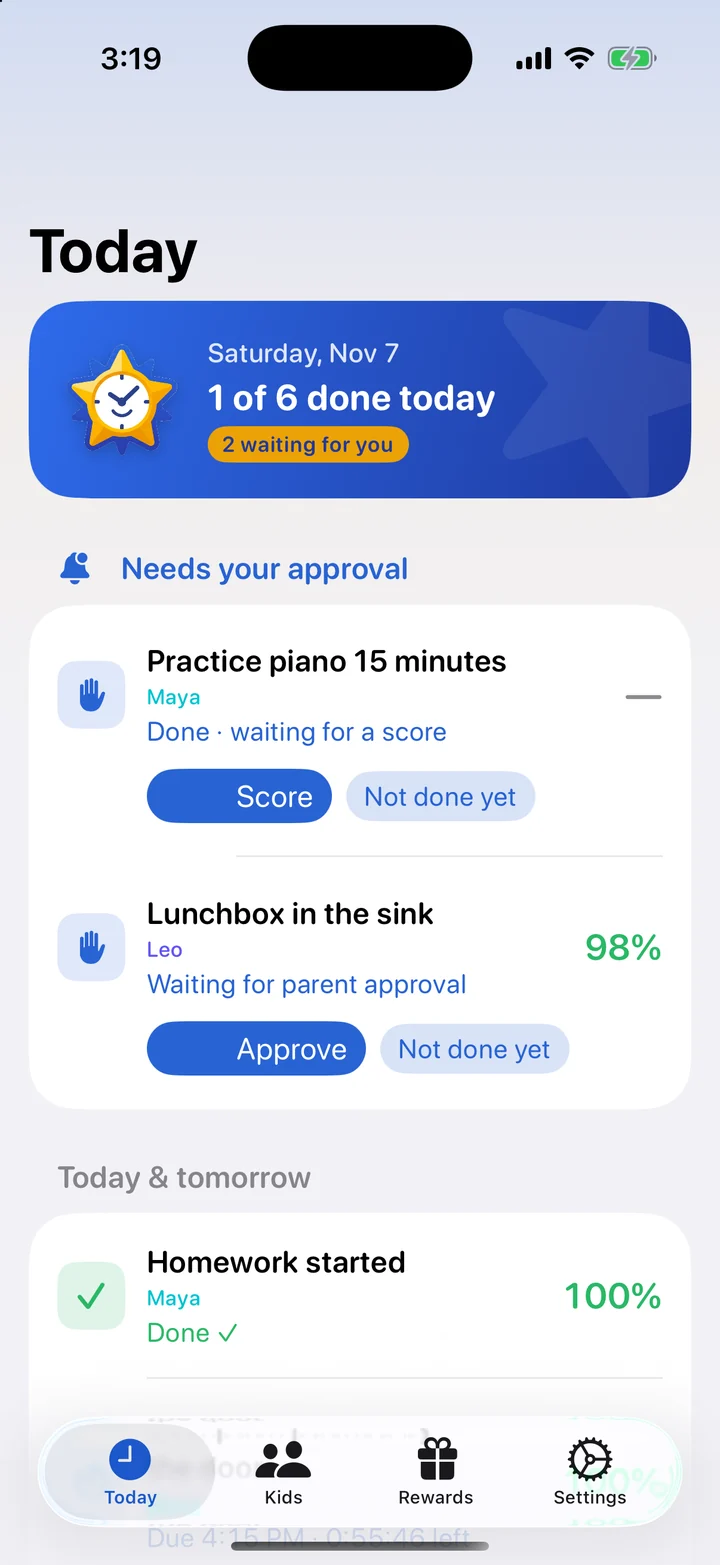
TockStar turns the things your kid needs to do into missions with a deadline they can actually see. They tap "I'm doing it" when they start, watch their score, and know exactly what earns iPad time. You stop being the clock.
Coming soon to iPhone and iPad · 30-day free trial
ADHD isn't a motivation problem. It's a "now" problem.
Kids with ADHD often live in two times: now and not now. "Bedtime is at 8:45" is abstract. A countdown, a point that starts slipping, and a perk that's on the line are concrete. TockStar puts the structure outside their head, where they can see it.
Time they can see
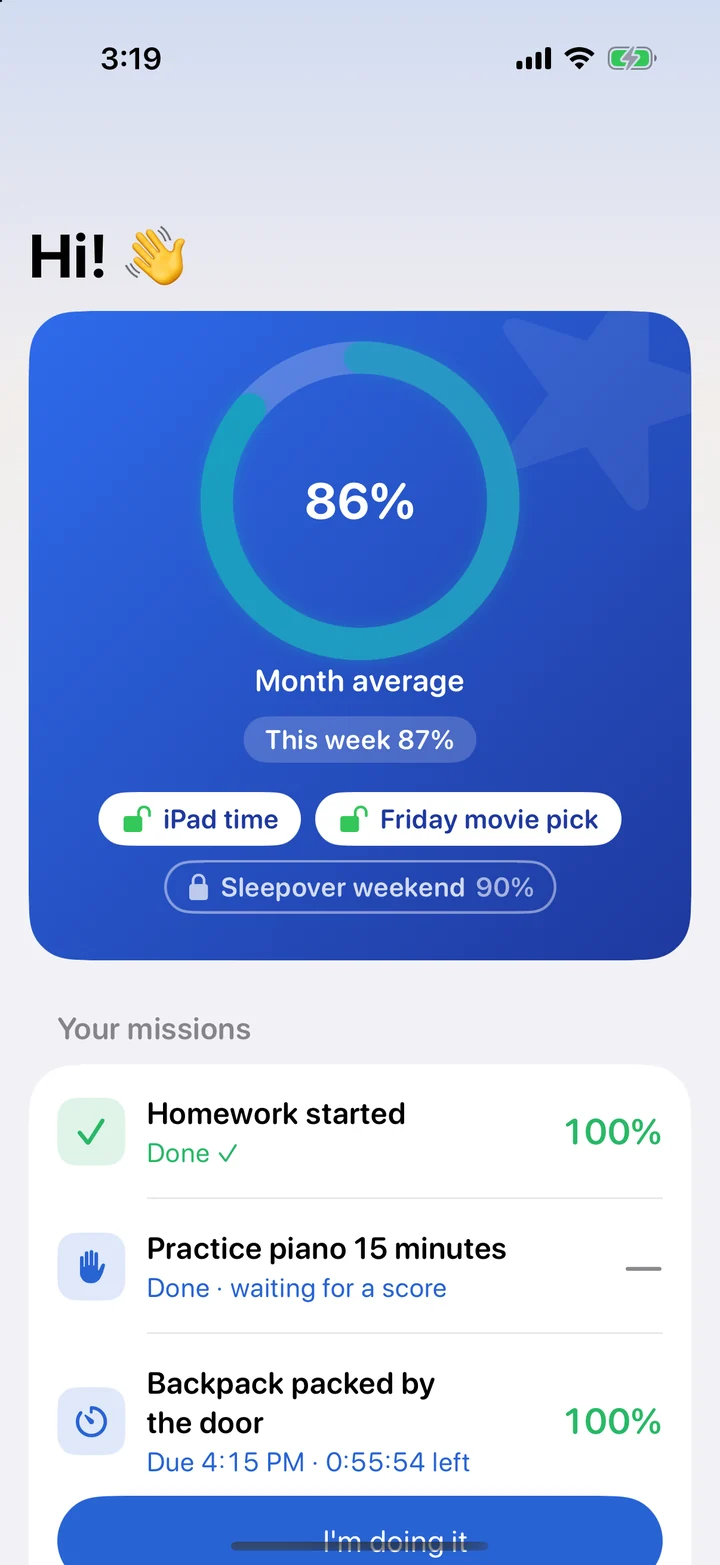
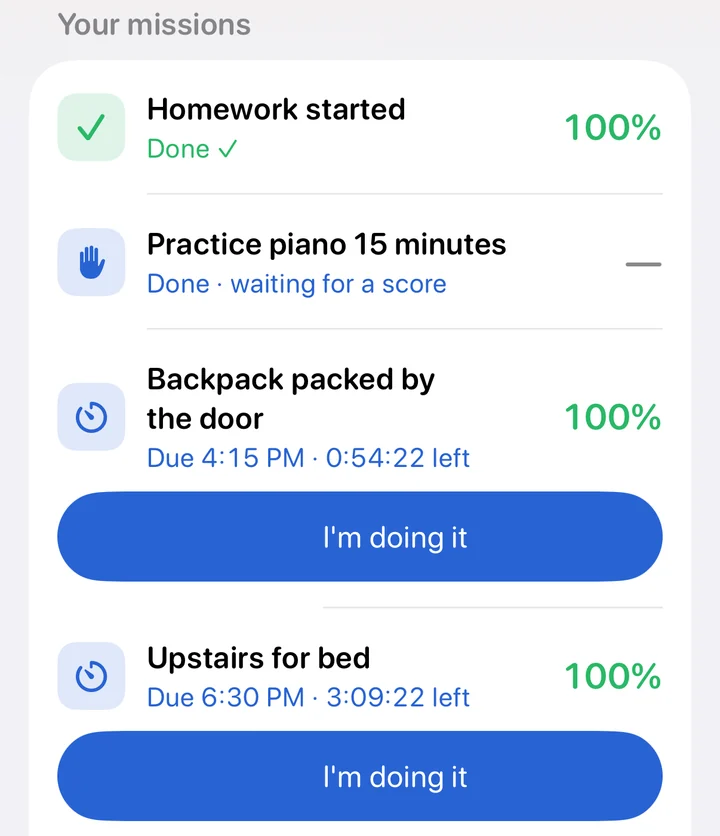
Every mission shows its deadline and a live countdown. "Later" becomes "47 minutes left", which is a lot easier to act on.
Credit for starting
Kids tap "I'm doing it" the moment they begin. Their score is locked to that tap, so getting started on time is what counts.
Payoffs that are always visible
Privileges like iPad time show as unlocked or locked right under their score, so the link between effort and reward is never out of sight.
Simple enough to stick with
Set it up once in about ten minutes. After that, the app does the reminding.
You set the missions
"Upstairs for bed by 8:45 on school nights." "Homework started by 4:30." Pick the days, the deadline, and how strict the late penalty is.
Your kid beats the clock
Their device shows what's due and how long is left, with a reminder before the deadline. They tap "I'm doing it" when they start.
You approve with one tap
Approve it or say "Not done yet". Their score, weekly grade, rewards and privileges all update on their own.
Every mission starts at 100%
Late costs a little, never everything at once. Here's "Upstairs for bed by 8:45" with a rule of 2 points per 5 minutes late:
Scaffolding for kids. Peace of mind for parents.
A home screen built for a distracted brain
One big score, a short list of what's due, and a giant button. No feeds, no ads, nothing to scroll past.
- Live countdowns on every mission
- A reminder before the deadline, and a nudge once points start dropping
- "I'm doing it" locks in their start time, even if you approve later
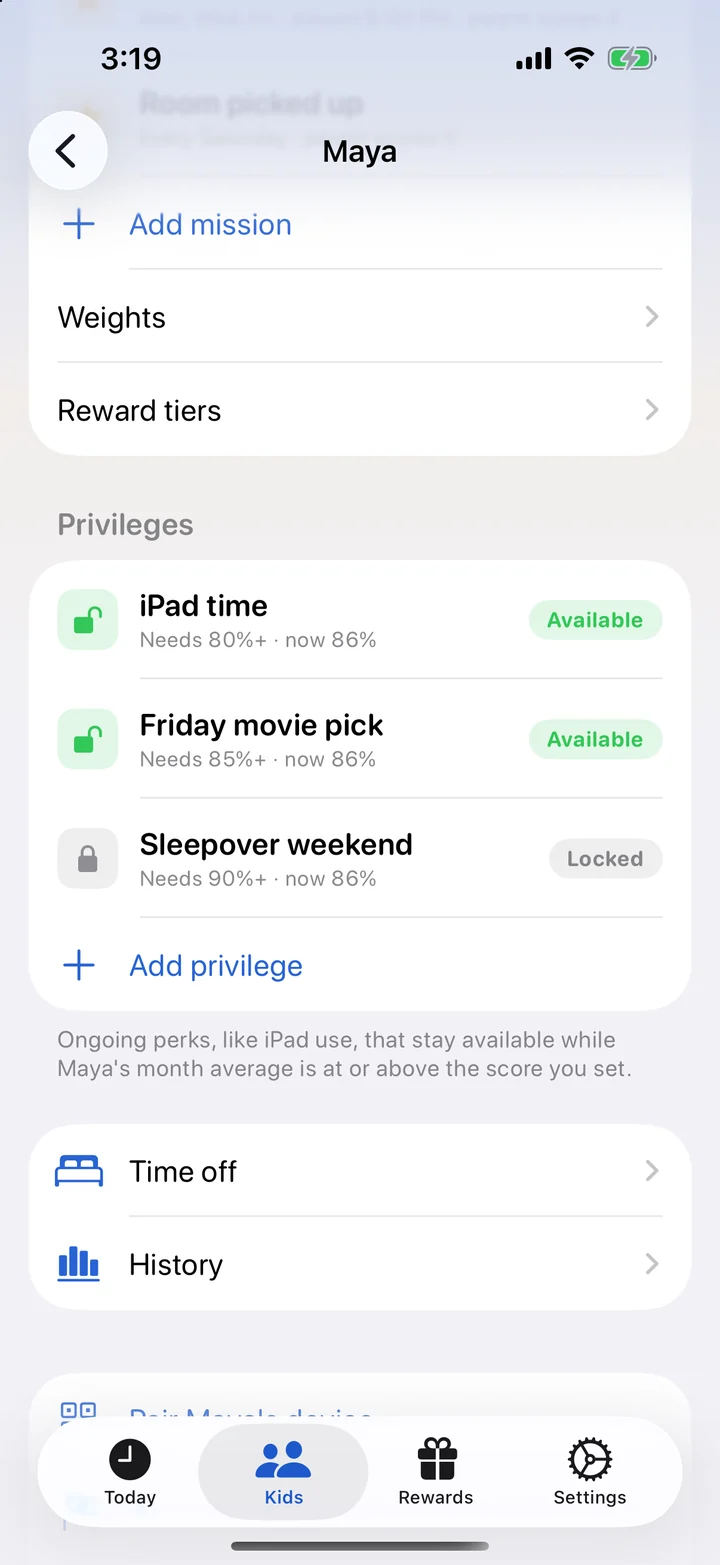
Privileges that follow their score
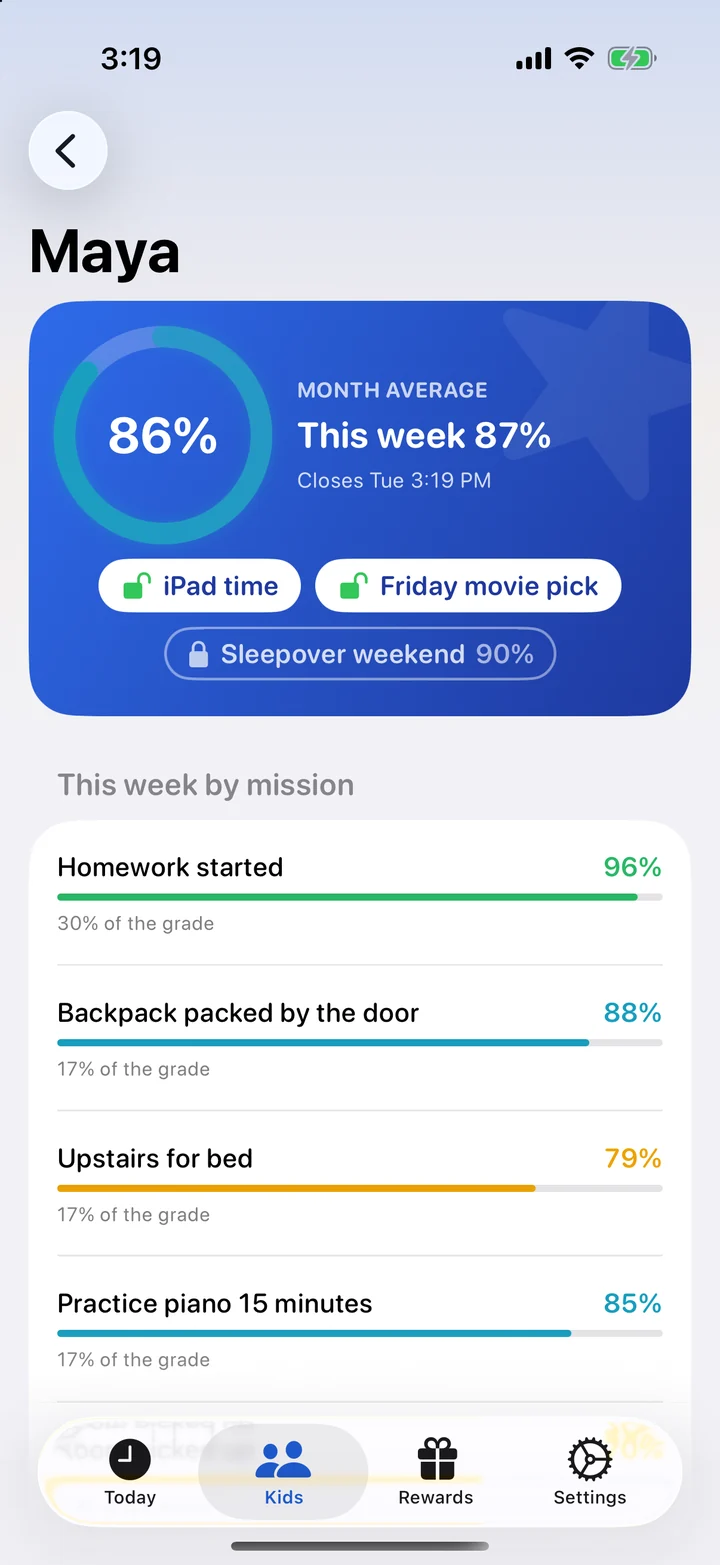
Set a privilege like "iPad time" to stay unlocked while their average is 80% or higher. If the score slips, it locks. When they catch up, it unlocks again, automatically.
- Shown as unlocked or locked right under their score
- Each privilege has its own threshold
- No arguments about whether they've "earned it". The app already says.
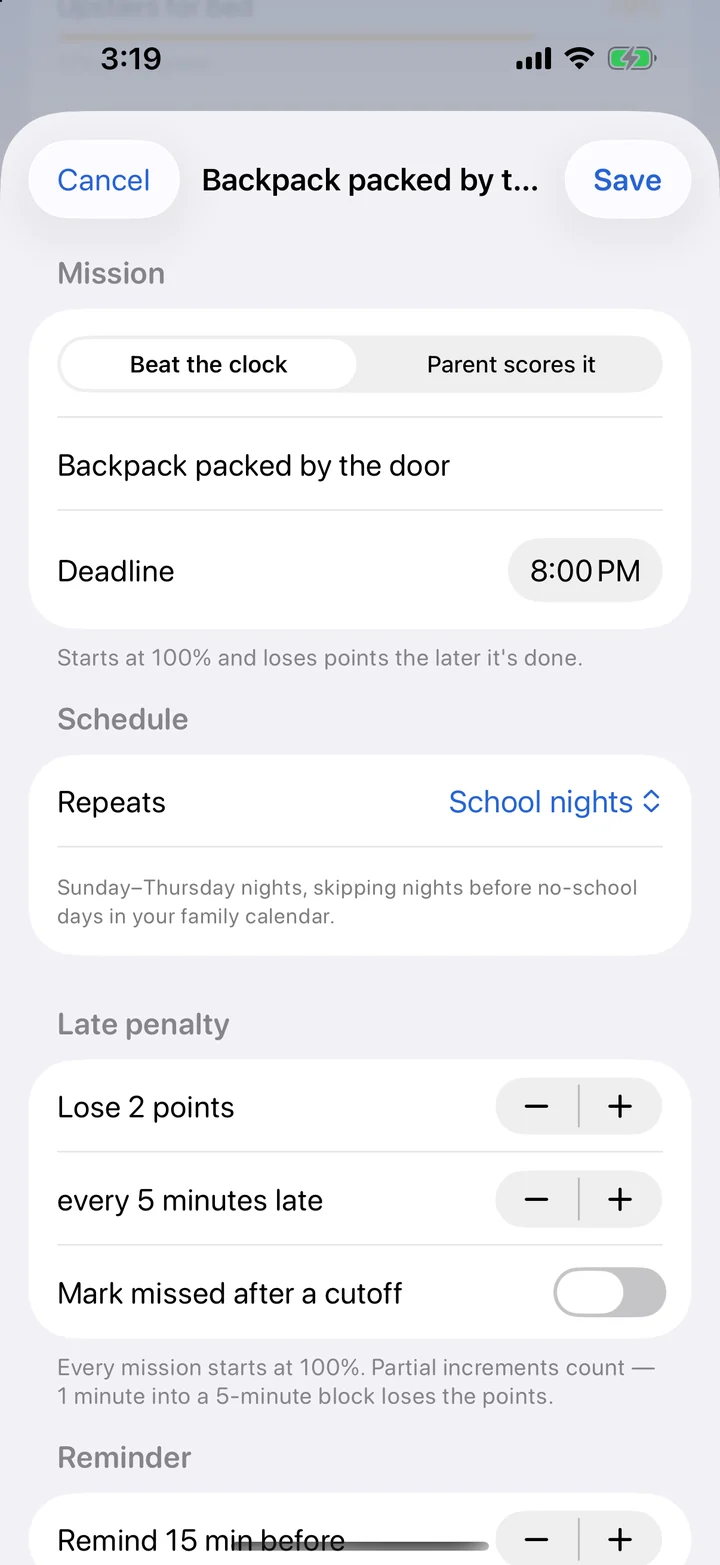
Two kinds of missions
Beat the clock missions have a deadline and a late penalty you control. Parent scores it missions are for things a timer can't measure, like "Stay at dinner for 20 minutes" or "Practice piano". You give a score from 0 to 100%.
- Every day, weekdays, school nights, certain days, or just once
- School nights skip the nights before holidays on your family calendar
- Weight what matters most, like homework at 30% of the grade
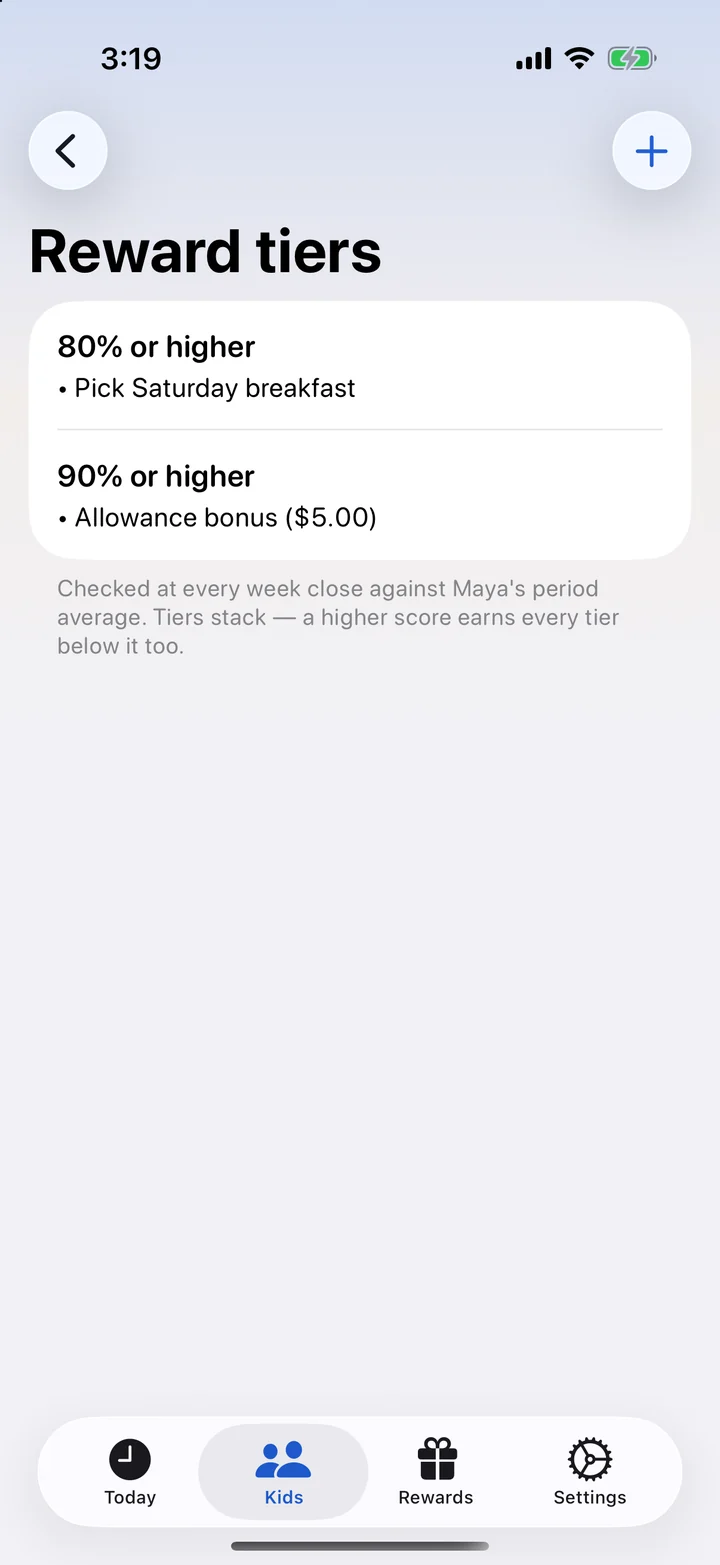
Rewards they can work toward
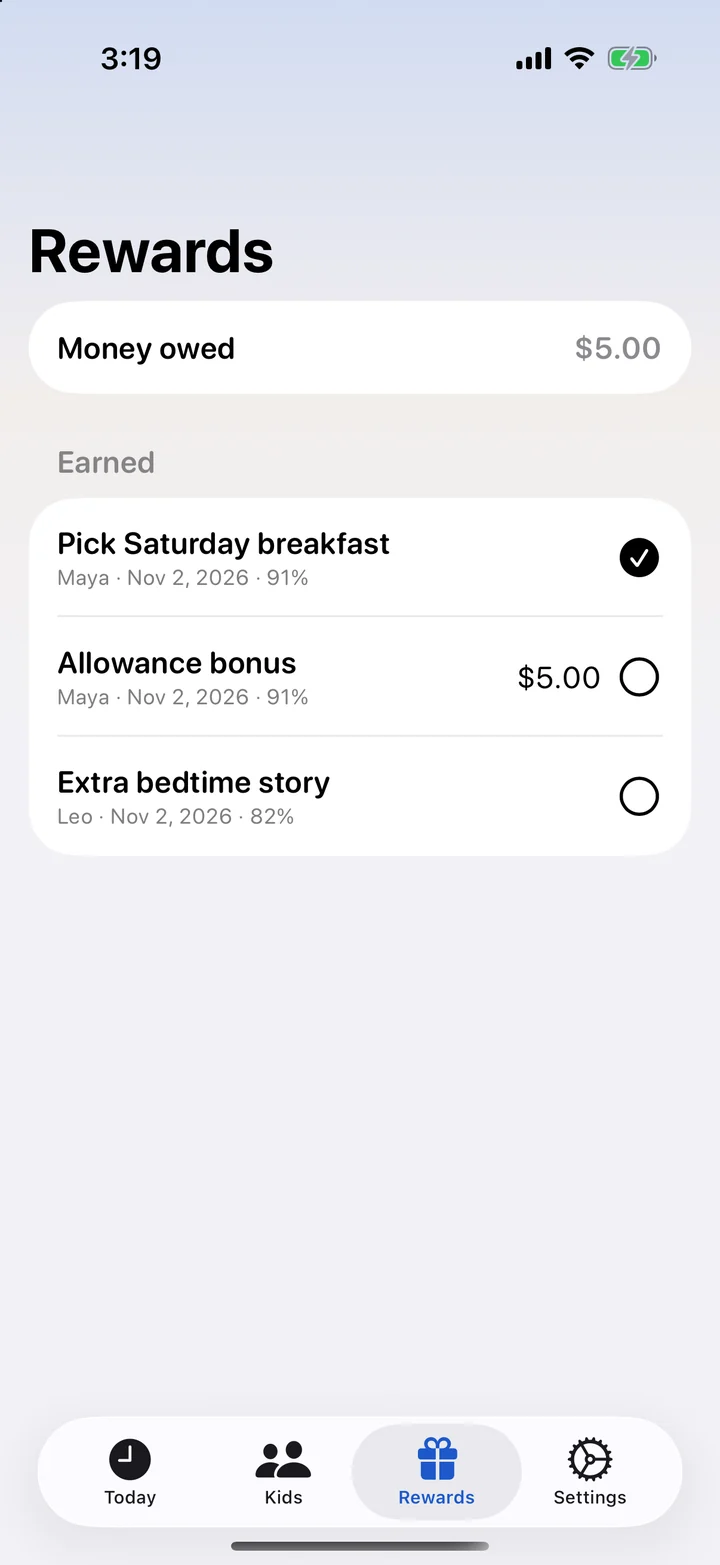
Set reward tiers like "80%: pick Saturday breakfast" and "90%: $5 allowance bonus". When the week closes, TockStar checks their average and adds what they earned to your list, so nothing gets forgotten.
- Weekly, monthly, quarterly or yearly grading periods
- One rough week doesn't wipe out a good month
- Track money owed and mark rewards as delivered
Every kid at a glance
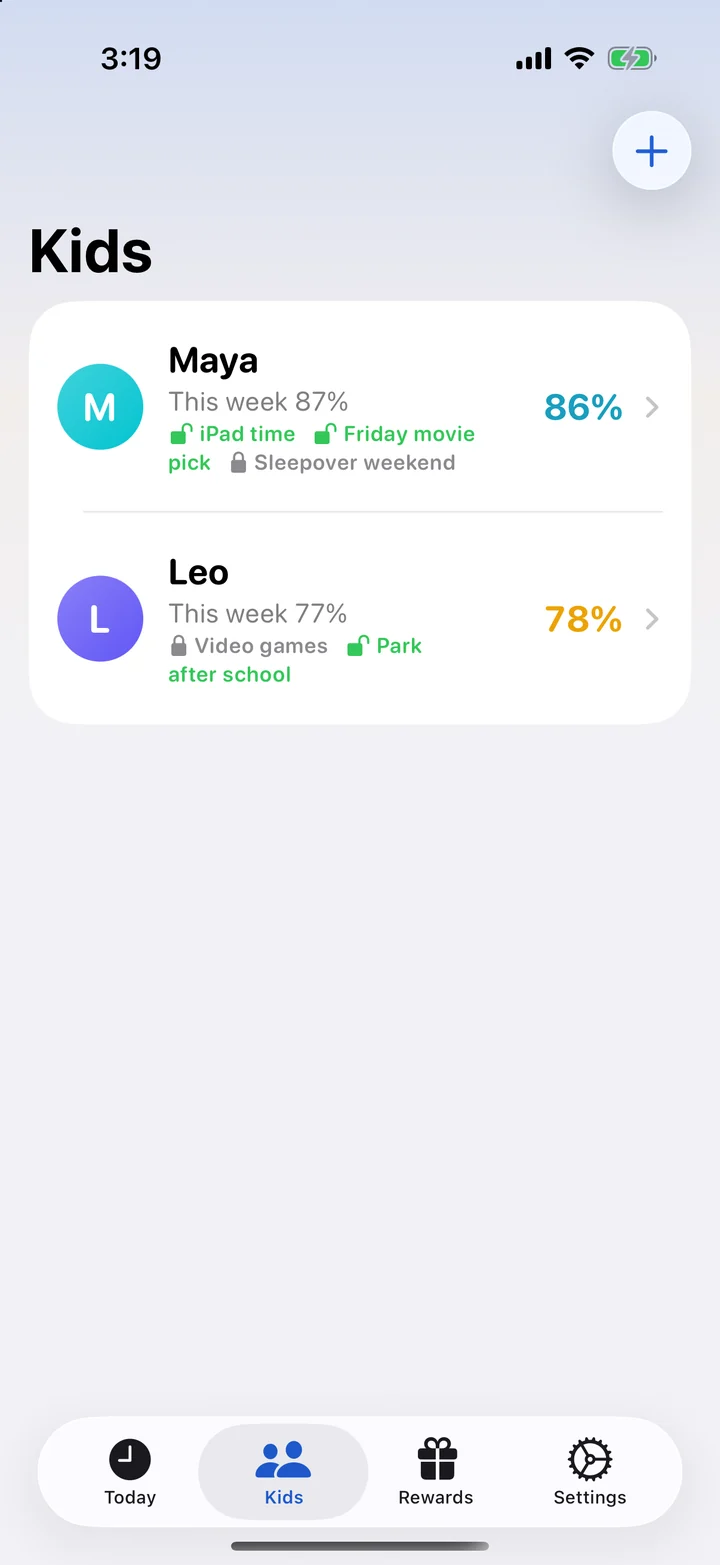
See each child's score and privileges on one screen. Add co-parents so everyone works from the same plan, whichever house the kids are at.
- Unlimited kids and parents on one subscription
- Time off for sick days and vacations
- Undo an approval if you tap the wrong one
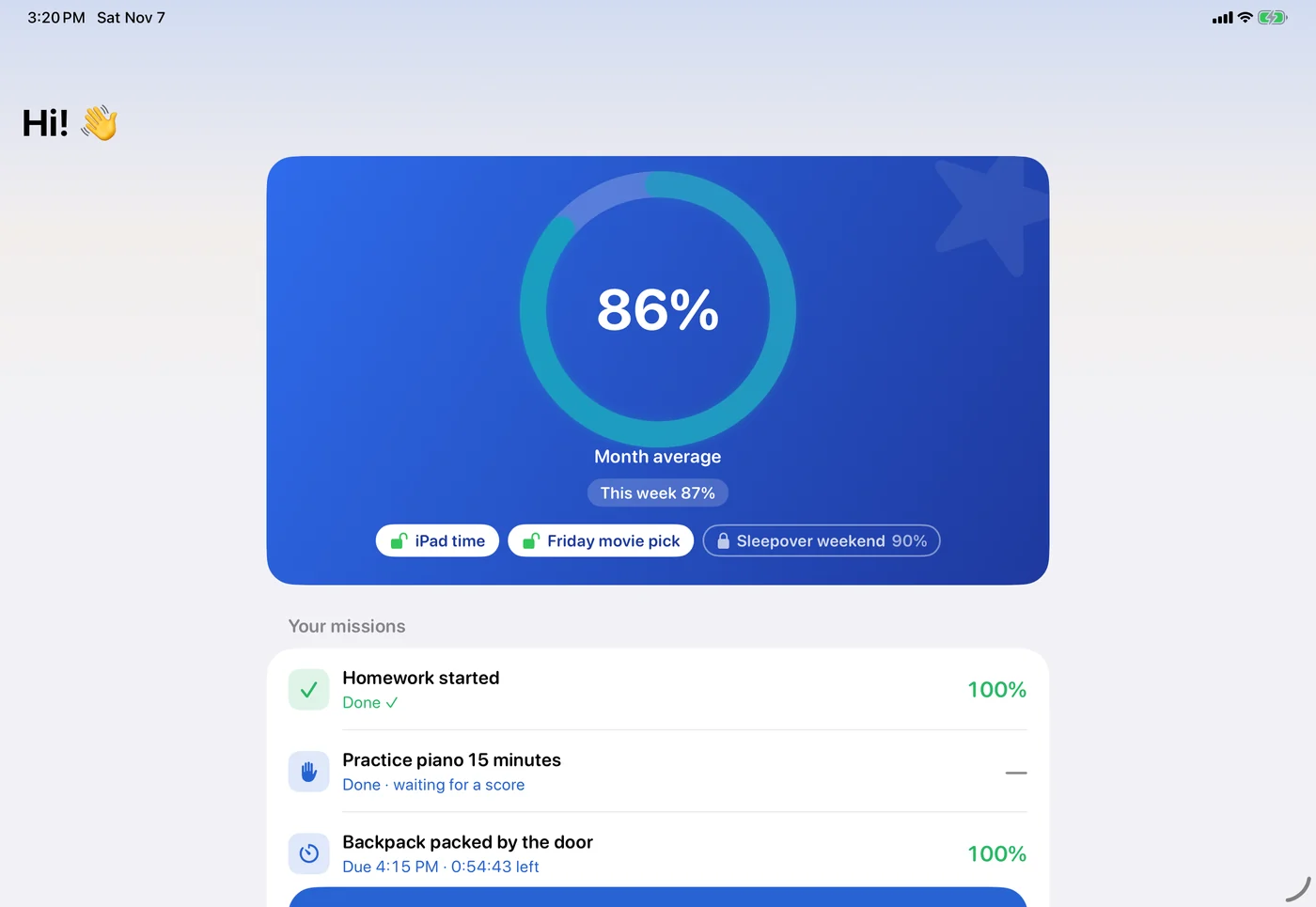
Great on iPad, too
Pair the family iPad or your kid's own tablet. The score and privileges are front and center.
One price for the whole family
after a 30-day free trial
- Unlimited kids and devices
- Co-parents included
- iPhone and iPad
- Rewards, privileges and history
- Cancel any time in the App Store
Frequently asked
Is TockStar only for kids with ADHD?
No. It was designed with ADHD brains in mind: clear deadlines, visible countdowns and quick feedback. But it works for any kid who loses track of time, puts things off, or does better with structure.
What ages is it for?
It's designed for elementary through high school. Younger kids like the stars and the "I'm doing it" button; older kids like seeing their score and knowing exactly what unlocks their privileges. You can even change what tasks are called (Missions, Quests, Habits and more) to fit your kid.
Does my child need an email address or an account?
No. A parent signs in with an email code, then pairs the child's iPhone or iPad with a one-time code. Kids never create an account, and they can't change their own tasks or scores.
What does it cost?
One subscription covers the whole family: every parent, every child and every device. It's $4.99 a month after a 30-day free trial, billed through the App Store. Cancel any time.
What if my kid is sick or we're on vacation?
Mark the day (or a whole date range) as time off and nothing counts against them. You can also add no-school days, so "school nights" tasks skip the nights before holidays automatically.
Is this a medical or therapy app?
No. TockStar is a parenting tool for structure and motivation. It isn't a treatment for ADHD and doesn't replace advice from your child's doctor, therapist or school.
More answers in the help guide.
Be first to try TockStar
Leave your email and we'll let you know the moment it's in the App Store.
Get early access